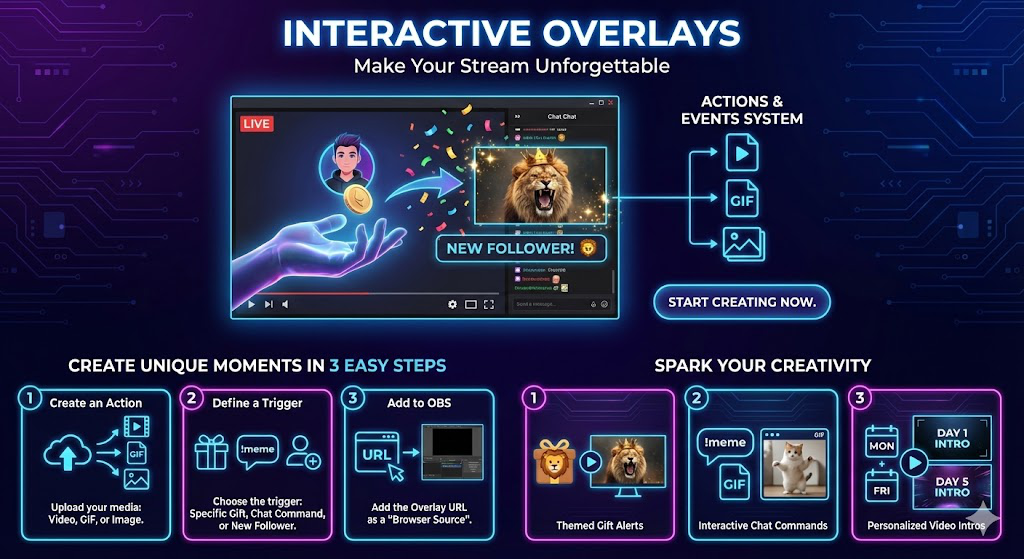
Create Unique Moments in 3 Easy Steps
Our powerful but simple editor lets you connect any stream event to any visual action. If you can imagine it, you can create it.
Create an Action
Upload your media. This can be a video file (MP4, WebM), a GIF, or a static image (JPG, PNG).
Define a Trigger
Choose what causes the action. A specific gift? A chat command? A new follower? You decide.
Add to OBS
Add the unique Overlay URL as a 'Browser Source' in OBS, SLOBS, or Live Studio. That's it!
Spark Your Creativity
Here are just a few ideas to get you started.
Themed Gift Alerts
Play a special video of a roaring lion every time someone sends a 'Lion' gift. Match your on-screen energy to your top supporters' gifts.
Interactive Chat Commands
Let your viewers type `!meme` in chat to trigger a random, hilarious GIF on screen. Give your community direct control over the stream.
Personalized Video Intros
Have a different intro video for your stream depending on the day of the week? Easily swap them out and trigger them with a single click.